Virtual Reality Headsets and Product Types
Virtual reality (VR) products create an immersive digital environment that users explore through a headset, hand controllers, or compatible accessories. Standalone VR headsets contain their own processor, battery, and display, making them convenient for experiences that do not require a separate computer. PC VR systems connect to a gaming computer for access to compatible titles and potentially more demanding graphics, while console-based options are designed for specific gaming platforms. Mixed reality headsets can blend digital objects with a view of the physical surroundings, although features vary by model. The category also includes VR controllers, facial interfaces, head straps, charging docks, carrying cases, and prescription lens inserts. Understanding whether you want gaming, fitness, creative work, entertainment, or social experiences helps narrow the options before comparing individual devices.
- Standalone, PC-connected, and console-based headset types
- VR accessories for comfort, charging, and protection
- Choose a system around your intended experiences
Display, Comfort, and Headset Features
A headset's display and optical design shape how clear and comfortable virtual reality feels. Compare resolution, refresh rate, field of view, and lens type, while remembering that the experience also depends on the device's processing power and supported content. Fresnel and pancake lenses use different optical designs, affecting headset depth, clarity, and how easily users can find a comfortable viewing position. Adjustable interpupillary distance (IPD), eye relief, and a secure fit can matter during longer sessions, particularly for users who wear glasses. Weight distribution, facial padding, ventilation, and head strap adjustment also influence comfort. Some models include eye tracking, hand tracking, or color passthrough cameras; these capabilities are device- and software-dependent. Check product specifications for included components and supported features rather than assuming every headset offers the same experience.
- Compare resolution, refresh rate, and lens design
- Check fit, IPD adjustment, and glasses compatibility
- Confirm model-specific tracking and passthrough features
Tracking, Controllers, and VR Accessories
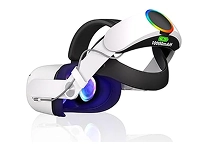
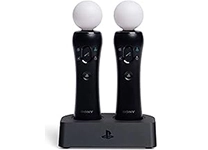
Tracking determines how a VR system follows head and hand movement. Many current headsets use inside-out tracking, with cameras on the headset monitoring the surrounding space, while some PC VR setups may use external base stations for room-scale tracking. Controller design differs across systems, including button layouts, grip style, haptic feedback, and finger tracking. For games or simulations, check whether the included controllers suit the experiences you plan to use. Useful accessories include replacement facial interfaces, adjustable head straps, controller grips, protective covers, charging stations, and travel cases. Some headsets support add-ons such as hand-tracking devices, eye-tracking modules, or prescription lenses, but compatibility must be confirmed for the exact model. Clear floor space, appropriate lighting, and the manufacturer's setup guidance can help users establish a practical play area.
- Understand inside-out and external tracking setups
- Match controller features to games and applications
- Verify accessory compatibility by headset model
VR Content, Platforms, and Compatibility
The range of available experiences depends on the headset's operating system, connected platform, and supported software. VR libraries include action games, rhythm titles, fitness applications, creative tools, simulations, educational experiences, and social spaces. A standalone headset may run supported apps directly, whereas a PC VR headset generally requires a compatible computer and connection method. Console-based VR products work with specified console models and software, so confirm platform requirements before buying. Check whether a title is available for the headset you are considering, and review PC requirements such as graphics hardware, ports, and operating system. Wireless PC streaming, wired connections, cross-buy options, and multiplayer support can vary by product and application. Ubuy can help shoppers discover international virtual reality products, but shoppers should verify software, platform, and accessory compatibility for each listing.
- Check the headset's app store and supported titles
- Confirm computer or console requirements before purchase
- Review connection and multiplayer support by product
Use Cases, Setup, and Ongoing Care
Virtual reality can suit more than gaming: users also explore guided workouts, immersive video, design tools, training simulations, and collaborative spaces. The best fit depends on the content, the available play area, and how often the headset will be used. Before a session, follow the device's setup instructions, adjust the head strap and lenses, and establish a clear boundary away from furniture, pets, and other obstacles. Take breaks when needed, keep lenses away from direct sunlight, and clean facial interfaces and controllers using care methods recommended by the manufacturer. Removable padding and replaceable straps can make routine upkeep easier, while a case helps protect equipment during storage. Ubuy provides a place to discover virtual reality headsets and related accessories; compare included items and care instructions to plan for your intended setup.
- Explore gaming, fitness, video, and creative uses
- Prepare a clear space and follow setup guidance
- Clean and store equipment according to instructions
Select the Right virtual reality
Start with the experiences you want, then choose a headset that fits your platform, space, and comfort preferences. For an untethered setup, compare standalone models and their supported apps; for computer-powered VR, check your PC specifications and the headset's connection requirements. Console users should verify compatibility with their exact system. Compare display specifications, lens adjustment, tracking, controller design, weight, battery details, and available accessories rather than relying on a single headline feature. Brands such as Meta, HTC Vive, Sony, Valve, and Pimax offer products across different VR approaches, but features and compatibility vary by model. Consider whether you need prescription lens inserts, a more adjustable strap, or a charging dock, and confirm what is included. Ubuy can be used to explore international product options; read each product's specifications carefully before deciding.
- Prioritize use case, platform, and comfort
- Compare specifications and included accessories
- Confirm exact model compatibility before purchase